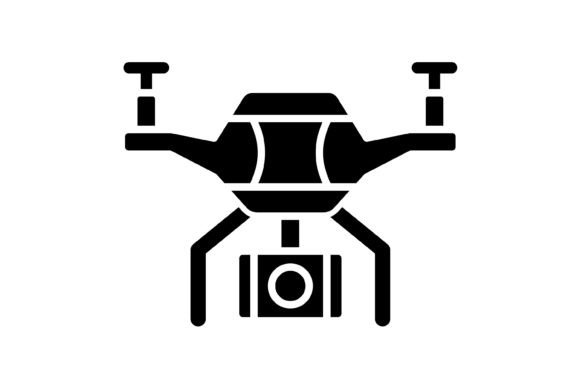
Evaluating Drone Glyph Icons: Formats, Usability, and Design Fit
In the rapidly evolving landscape of digital design, the assets you choose define the efficiency of your workflow and the clarity of your user interface. When selecting visual representations for specific technology—such as unmanned aerial vehicles—the decision often comes down to balancing aesthetic quality with technical versatility. The Drone Glyph Icon set represents a specific approach to this challenge, offering a collection of 100 vector icons designed for broad application across mobile, web, and print environments.
Technical Specifications: The Value of Multi-Format Inclusion
A primary consideration when evaluating any icon set is the file format architecture. A significant strength of the Drone Glyph Icon collection is the inclusion of five distinct formats within a single package: AI, EPS, JPG, PNG (with transparent background), and SVG. This variety is not merely a bonus; it is a practical necessity for modern workflows that span multiple software environments.
The inclusion of AI and EPS files ensures that the icons function as true vectors, allowing for infinite scalability without pixelation. This is crucial for print media or high-resolution displays. Conversely, the availability of SVG (Scalable Vector Graphics) is particularly relevant for web and mobile developers. SVG files are code-based, resulting in smaller file sizes and faster load times compared to rasterized images, while maintaining the crisp edges required for responsive design. Meanwhile, the PNG files with transparent backgrounds offer a ready-to-use solution for quick prototyping in tools like Canva or Figma, removing the need for manual background removal.
Design Philosophy: Minimalism and Semantic Clarity
The "glyph" style—characterized by solid, monochromatic shapes—serves a specific functional purpose in UI and UX design. Unlike detailed illustrations or skeuomorphic designs, the Drone Glyph Icon style prioritizes immediate recognition. In a cluttered interface, a glyph icon acts as a visual shorthand, allowing users to navigate features without cognitive overload.
However, this minimalist approach involves tradeoffs. While the Drone Glyph Icon excels in clarity and scalability, it may lack the personality or warmth of hand-drawn or 3D-rendered assets. For projects aiming for a playful, organic, or highly artistic aesthetic, a glyph set might feel too clinical or corporate. Therefore, this collection is best suited for dashboards, data visualization, technical manuals, and applications where function overrides decoration. If the goal is to convey technical precision or futuristic themes, the clean lines of these vector icons are highly effective.
Comparing Integration and Scalability
When comparing the Drone Glyph Icon set to other resources, the "ready to use" nature of the package is a distinct advantage. Many icon libraries require extensive modification—such as adjusting stroke weights or aligning grids—before they match a project's design system. Because this set is designed for "maximum usability" and is "easy to edit," it reduces the friction often associated with integrating third-party assets.
For developers working on cross-platform applications, consistency is key. Using the Drone Glyph Icon set ensures that the visual language remains identical whether the user is viewing a presentation on a desktop monitor or a mobile app interface on a small screen. The vector nature of the assets means they adapt fluidly to different pixel densities, from standard definition to Retina and 4K displays.
Decision Factors: When to Choose This Asset
Determining if the Drone Glyph Icon is the right choice requires an assessment of your project's specific constraints and goals. Consider the following factors:
- Scalability Needs: If your project requires icons to be resized frequently or used in both large-format print and small mobile UI elements, the vector formats (AI, EPS, SVG) make this set a robust choice.
- Workflow Efficiency: The inclusion of PNGs with transparent backgrounds is ideal for teams that need to iterate quickly without opening complex vector software.
- Thematic Fit: These icons are ideal for applications related to logistics, mapping, surveillance, videography, or technology management.
- Consistency: Having 100 icons in a unified style prevents the "patchwork" look that often occurs when sourcing icons from multiple free repositories.
Practical Limitations and Alternatives
While the Drone Glyph Icon offers high utility, it is not a universal solution for every design challenge. One limitation of glyph-style icons is their reliance on shape recognition alone. In complex scenarios where abstract concepts need to be conveyed, or where cultural context varies, monochromatic glyphs can sometimes be ambiguous. In such cases, text labels or more descriptive, illustrated icons might be necessary to bridge the communication gap.
Furthermore, if a project’s brand identity relies heavily on color theory or dynamic gradients, a monochromatic glyph set requires additional editing to fit the aesthetic. While the files are "easy to edit," applying complex color schemes to solid shapes still requires design time.
Conclusion: A Versatile Foundation
Ultimately, the Drone Glyph Icon set serves as a versatile foundation for design systems requiring clarity and scalability. By providing multiple file formats and a clean, editable aesthetic, it addresses the common bottlenecks in digital asset management. Whether you are building a mobile application, designing a website, or preparing a corporate presentation, the utility of a well-structured vector icon set cannot be overstated. Evaluating your need for speed, scalability, and thematic alignment will determine if this specific collection is the right asset for your workflow.